
Docker Network Management
backupctl runs in its own Docker Compose stack, but the databases it backs up typically live in other Docker Compose projects on separate networks. The network module bridges this gap — it connects the backupctl container to project-specific Docker networks so it can resolve database hostnames and reach containers directly.
How It Works
Each project in config/projects.yml can declare a docker_network field — the name of the Docker network where its database is reachable:
projects:
  - name: my-app
    docker_network: myapp_myapp-network
    database:
      host: postgres-myapp       # hostname on that network
      port: 5432
When you run backupctl network connect, the command:
- Loads all projects from
config/projects.yml(or a single project if specified) - Skips projects without
docker_networkconfigured - For each project, checks if the Docker network exists on the host
- Checks if the backupctl container is already connected
- Connects the container to the network if not already connected
The command executes docker network connect and docker network inspect from inside the container. This requires two things: the Docker CLI must be installed in the container image, and the host's Docker socket must be mounted into the container.
Prerequisites
Docker Socket Mount
The backupctl container needs access to the host's Docker daemon to manage network connections. Mount the Docker socket as a read-only volume in docker-compose.yml:
volumes:
  - /var/run/docker.sock:/var/run/docker.sock:ro
Docker Socket Permissions
The container runs as the node user (non-root). The Docker socket on the host is typically owned by root:docker. To allow the node user to access it, add the Docker group ID via group_add:
group_add:
  - '${DOCKER_GID:-999}'
The default GID 999 works on most Linux distributions. Check your host's actual Docker socket GID:
stat -c '%g' /var/run/docker.sockIf it differs from 999, set DOCKER_GID in your .env:
DOCKER_GID=998Docker CLI in the Container Image
The container image includes the docker-cli Alpine package, which provides the docker binary needed to run network commands. This is included in the default Dockerfile — no extra configuration needed.
Complete docker-compose.yml Example
services:
  backupctl:
    container_name: backupctl
    build:
      context: .
      dockerfile: Dockerfile
    env_file: .env
    environment:
      AUDIT_DB_HOST: backupctl-audit-db
    ports:
      - '${APP_PORT:-3100}:${APP_PORT:-3100}'
    volumes:
      - ${BACKUP_HOST_DIR:-${BACKUP_BASE_DIR:-/data/backups}}:/data/backups
      - ./config:/app/config:ro
      - ./ssh-keys:/home/node/.ssh:ro
      - ./gpg-keys:/app/gpg-keys:ro
      - /var/run/docker.sock:/var/run/docker.sock:ro
    group_add:
      - '${DOCKER_GID:-999}'
    networks:
      - backupctl-network
    depends_on:
      backupctl-audit-db:
        condition: service_healthy
    restart: unless-stopped
Usage
Connect All Projects
backupctl network connect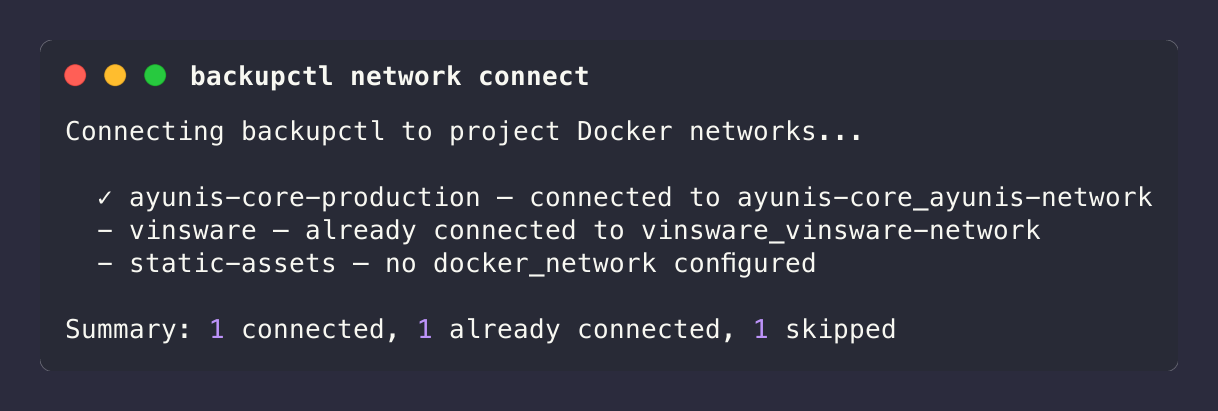
Connect a Single Project
backupctl network connect ayunis-core-production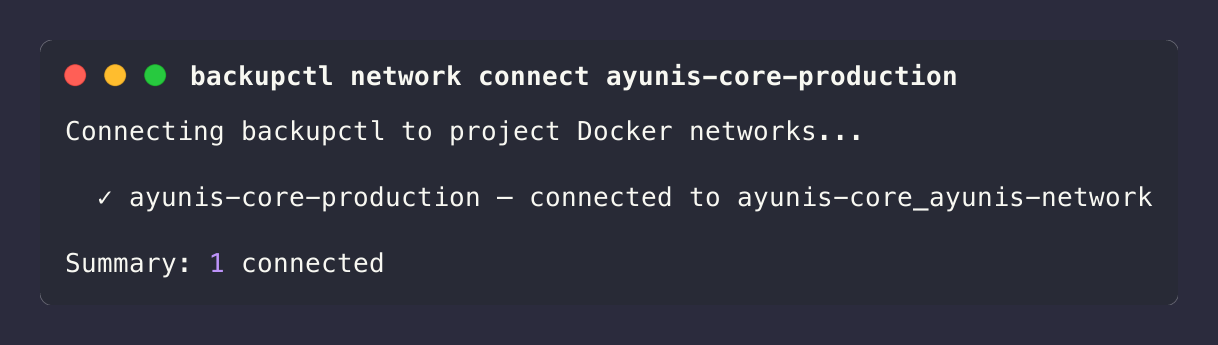
Exit Codes
| Code | Meaning |
|---|---|
0 | All connections successful (or already connected/skipped) |
1 | All connections failed |
5 | Partial success (some connected, some failed) |
Troubleshooting
If backupctl network connect fails or a project's DB host is unresolvable, see the step-by-step runbook: Help Center → Docker network connect fails.
Finding the Network Name
To find the correct Docker network name for a project:
# List all Docker networks
docker network ls

# Filter by project name
docker network ls | grep myapp
Docker Compose creates networks with the pattern {project-directory}_{network-name}. For example, a project in ~/apps/my-app with a network named my-network creates my-app_my-network.
You can also inspect a running container to see its networks:
docker inspect my-app-postgres --format '{{json .NetworkSettings.Networks}}' | jq 'keys'When to Run Network Connect
Run backupctl network connect after:
- First deployment — the container starts on its own
backupctl-networkand needs to join project networks - Container restart — Docker disconnects containers from external networks on restart
- Adding a new project — when you add a project with
docker_networktoconfig/projects.yml
The host-side management scripts (scripts/backupctl-manage.sh deploy, scripts/dev.sh up) run network connect automatically after starting the container. For production, you can also add it to a post-deploy step or run it via cron.
Docker Image Architecture Support
backupctl publishes multi-architecture Docker images supporting both AMD64 (x86_64) and ARM64 (Apple Silicon, AWS Graviton, Oracle Ampere):
# Docker Hub
docker pull vineethnkrishnan/backupctl:latest

# GitHub Container Registry
docker pull ghcr.io/vineethkrishnan/backupctl:latest
Both registries serve the correct architecture automatically based on your host platform. The multi-arch build covers:
| Architecture | Platforms |
|---|---|
linux/amd64 | Standard x86_64 servers, Intel/AMD workstations |
linux/arm64 | Apple Silicon (M1–M4), AWS Graviton, Raspberry Pi 4+, Oracle Ampere |
Building from Source on Apple Silicon
When building from source on an Apple Silicon Mac, Docker builds natively for ARM64:
docker compose up -d --buildNo special flags needed — the Dockerfile uses multi-arch base images (node:20-alpine, golang:*-alpine) and the restic build uses CGO_ENABLED=0 for a static binary that works on both architectures.
Cross-Architecture Builds
The CI/CD pipeline uses Docker Buildx with QEMU emulation to build for both platforms simultaneously. If you need to build a multi-arch image locally:
docker buildx build --platform linux/amd64,linux/arm64 -t backupctl:local .Troubleshooting
"Network does not exist"
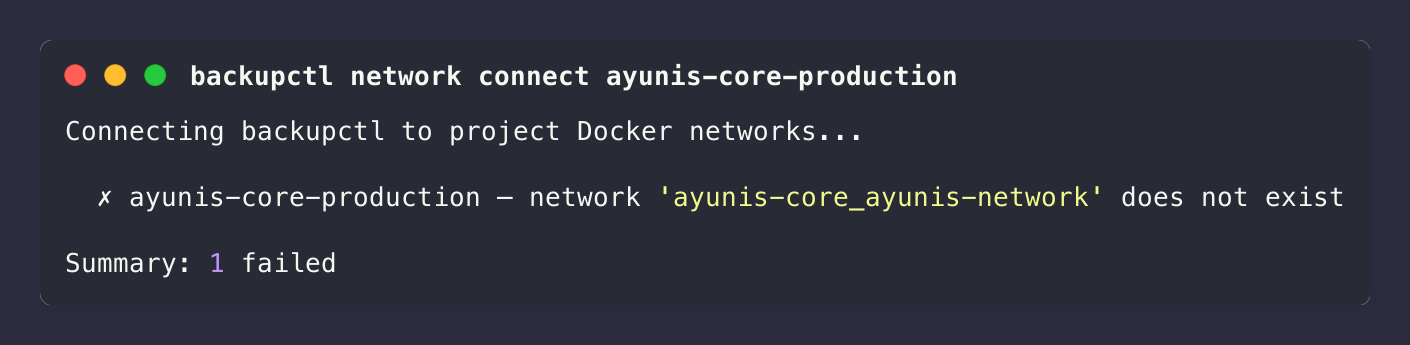
Causes:
- Docker socket not mounted — the container cannot talk to the Docker daemon. Verify the socket volume mount:
docker exec backupctl ls -la /var/run/docker.sock- Docker CLI not available — the
dockerbinary is missing from the container:
docker exec backupctl which docker
# Should print: /usr/bin/docker- Permission denied on Docker socket — the
nodeuser cannot access the socket. Checkgroup_addis configured and the GID matches:
# On the host
stat -c '%g' /var/run/docker.sock

# Compare with the container's groups
docker exec backupctl id- Network genuinely doesn't exist — the target project's containers are not running:
docker network ls | grep myappStart the target project first, then retry:
cd ~/apps/my-app && docker compose up -d
backupctl network connect my-app
"Permission denied" When Connecting
The Docker socket is mounted but the node user cannot access it. Set the correct DOCKER_GID in .env:
# Find the GID on the host
stat -c '%g' /var/run/docker.sock
# e.g., 998

# Add to .env
echo "DOCKER_GID=998" >> .env

# Recreate the container
docker compose up -d --force-recreate backupctl
Network Lost After Container Restart
Docker disconnects containers from external networks when the container restarts. Re-run the connect command:
backupctl network connectTo automate this, the management scripts handle it:
# Production
scripts/backupctl-manage.sh deploy

# Development
scripts/dev.sh up
Architecture
The network module follows the same hexagonal architecture as the rest of backupctl:
network/
├── domain/
│   └── network-connect-result.model.ts    # Result value object
├── application/
│   ├── ports/
│   │   └── docker-network.port.ts         # Outbound port interface
│   └── use-cases/
│       └── connect-network/
│           ├── connect-network.command.ts  # Command data carrier
│           └── connect-network.use-case.ts # Orchestration logic
├── infrastructure/
│   └── adapters/
│       └── docker-cli-network.adapter.ts  # Docker CLI adapter
├── presenters/
│   └── cli/
│       └── network.command.ts             # CLI entry point
└── network.module.ts                      # NestJS module
The DockerNetworkPort defines three operations:
networkExists(networkName)— checks if a Docker network existsisContainerConnected(containerName, networkName)— checks if a container is already on a networkconnectContainer(containerName, networkName)— connects a container to a network
The DockerCliNetworkAdapter implements these by shelling out to the Docker CLI (docker network inspect, docker inspect, docker network connect). All commands use execFile (not exec) to avoid shell injection, with 15–30 second timeouts.
What's Next
- Configure projects — Configuration for the
docker_networkfield and all YAML options - CLI reference — CLI Reference for command syntax and exit codes
- Development networking — Development Guide for dev environment network setup and socat relay
- FAQ — What is docker_network? and How to connect to another project's database